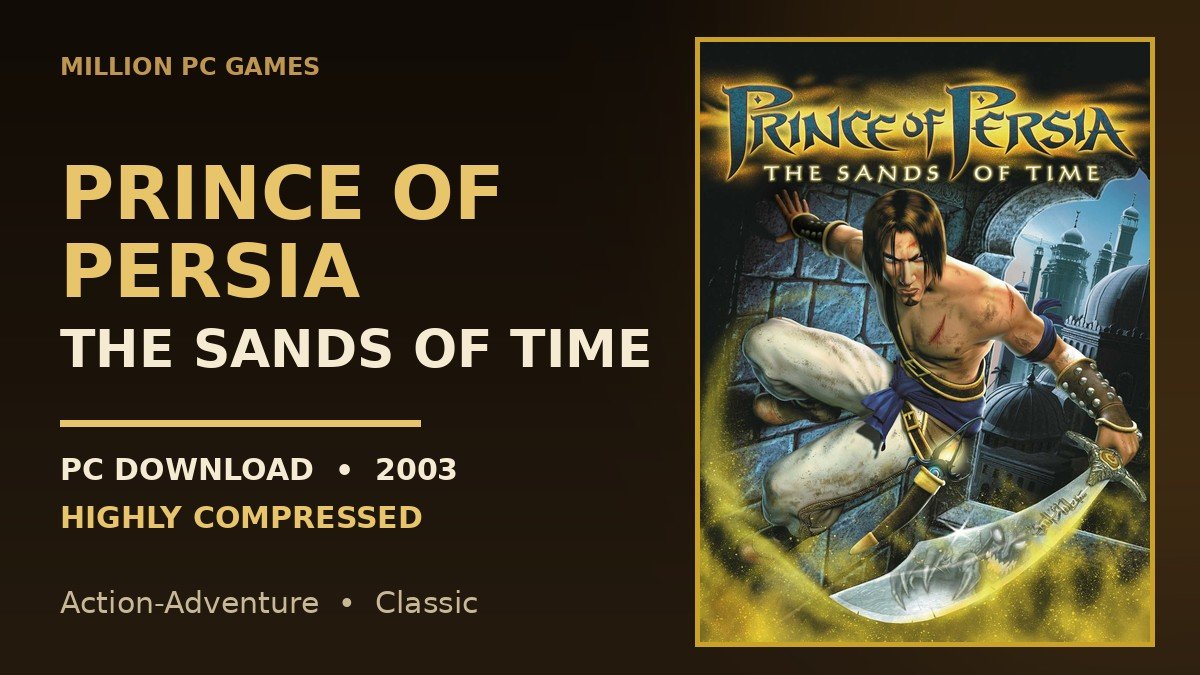

Some games you play once and forget. Prince of Persia: The Sands of Time is not one of them. More than twenty years after it came out, people still search for the Prince of Persia The Sands of Time download for pc, still install it on low-end laptops, and still talk about the first time they ran along a wall, missed a jump, and rewound time like nothing had happened.
If that is what brought you here, you are in the right place. This is the full guide to the 2003 classic — what the game is, why it still holds up, how big the download is, what kind of PC it needs, how to get it running on Windows 10 and Windows 11, and the fixes for the problems people actually run into. No fluff, no copied paragraphs, just the stuff that matters before you install it.
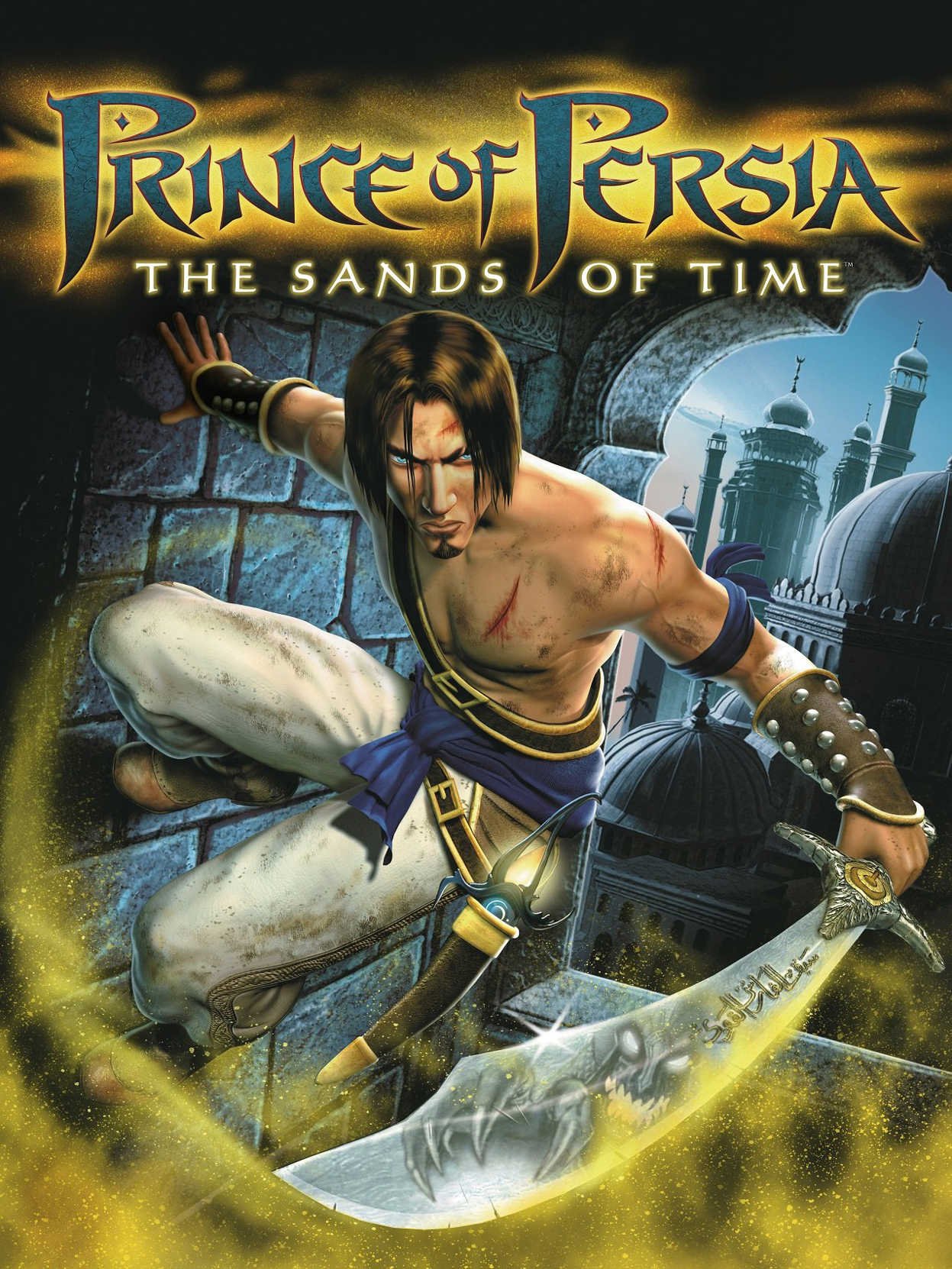
Prince of Persia: The Sands of Time — Game Information
| Game Name | Prince of Persia: The Sands of Time |
| Release Date | 2 December 2003 (PC, North America) |
| Developer | Ubisoft Montreal |
| Publisher | Ubisoft |
| Designer / Writer | Jordan Mechner (creator of the original Prince of Persia) |
| Genre | Action-Adventure, Puzzle-Platformer |
| Game Engine | Jade engine |
| Mode | Single Player |
| Platform | PC (Windows), PlayStation 2, Xbox, GameCube |
| Main Story Length | Around 8–9 hours |
| File Size | About 1.5 GB (full install) |
What Is Prince of Persia: The Sands of Time?
Prince of Persia: The Sands of Time is a 2003 action-adventure game from Ubisoft Montreal, and it is the game that brought Prince of Persia back from the dead. The original Prince of Persia from 1989 was a 2D side-scroller that a whole generation grew up on. Then came Prince of Persia 3D in 1999, which most people would rather forget. The Sands of Time was the fresh start — a full 3D game that kept the heart of the old one (climbing, jumping, traps, careful timing) and added one idea nobody had done properly before: the power to rewind time.
It was designed and written by Jordan Mechner, the same man who created the series in the first place, so it feels like a real Prince of Persia game and not just a game wearing the name. It went on to start a trilogy — Warrior Within followed in 2004 and The Two Thrones in 2005 — but for a lot of players, this first one is still the best of the three.
The Story — One Mistake That Breaks Time
The Prince in this game has no name. He is the young son of King Sharaman of Persia, travelling with his father’s army after a victory in India. The army has sacked the palace of a Maharaja and taken its treasures, including an hourglass filled with the Sands of Time.
Inside the Maharaja’s vault the Prince finds a strange weapon — the Dagger of Time. His father’s advisor, the Vizier, wants the Sands for himself, and he talks the young Prince into opening the hourglass. The moment the Dagger touches it, the Sands burst out and turn nearly everyone in the palace into sand monsters.
When the army reaches Azad and presents the Sands to the Sultan as a gift, the Vizier tricks the Prince into stabbing the hourglass with the Dagger. That one act unleashes the Sands across the palace, turning the court and the army into sand creatures, and the Prince is left standing in a ruined palace with the one weapon that can undo what he has done.
So the Prince has to climb the ruined palace with Farah, fight the creatures his own mistake created, and find a way to put the Sands back in the hourglass before the Vizier uses them to make himself immortal. It is a simple setup, and it works because the whole game is about one person trying to fix his own mistake.
Gameplay — Wall-Running, Swordplay and the Dagger of Time
The game is really two games stitched together: acrobatic platforming, and close-quarters sword fighting. You spend most of your time climbing through the palace, and the fighting breaks that up in short, sharp bursts.
Platforming That Still Feels Good
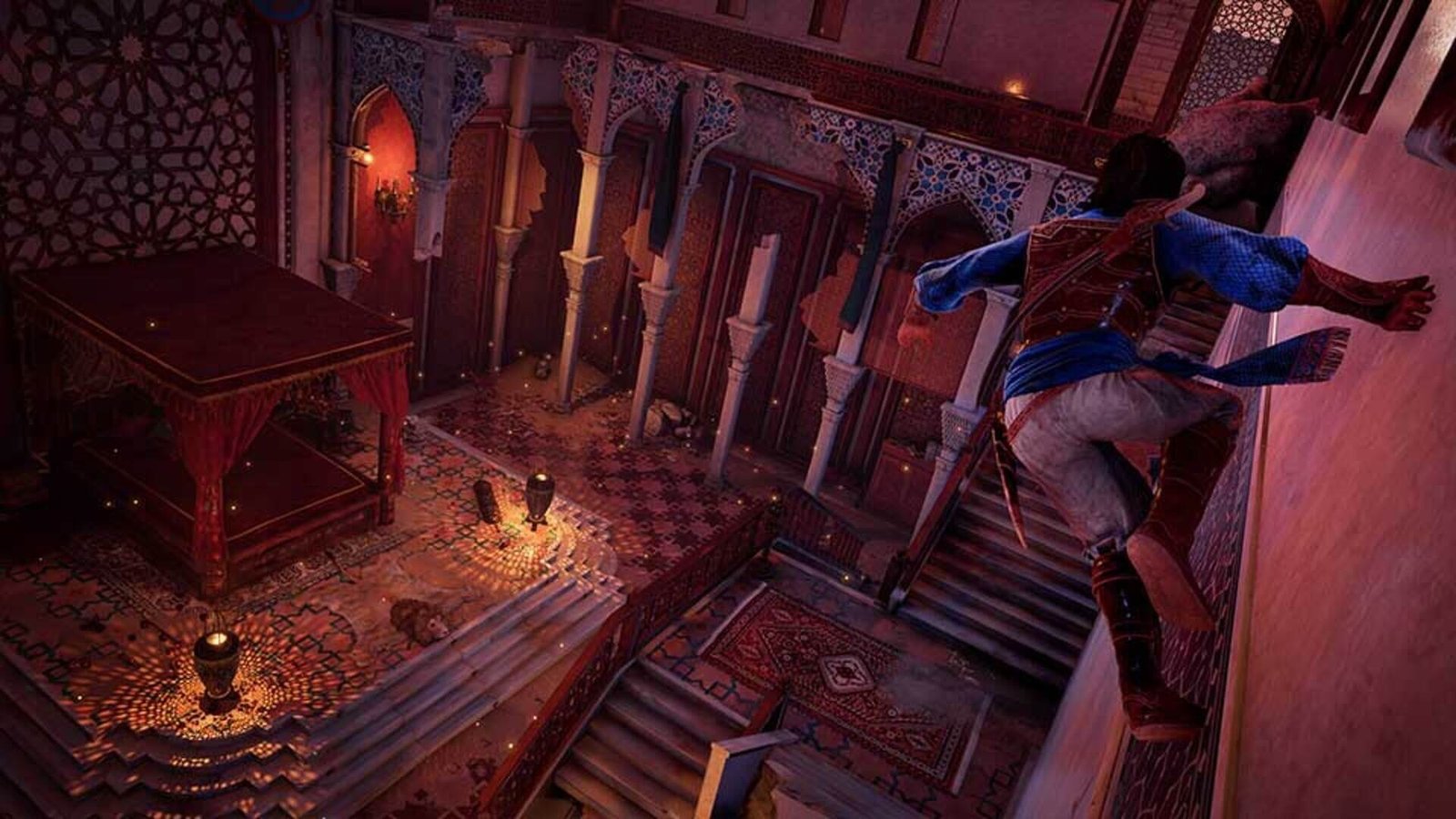
This is where the game shines, and it is the part that has aged best. The Prince runs along walls, jumps between them, swings from poles and ropes, balances on beams, shimmies along ledges, and slides down curtains and tapestries. The palace is full of traps — spinning blades, spike pits, saw blades, collapsing floors — and getting through a room is usually a small puzzle: look at the room, work out the route, then run it in one flowing sequence.
The controls are forgiving in the right way. The Prince grabs ledges automatically, so you are rarely fighting the controls, and the camera usually shows you where you are supposed to go. When it clicks, moving through a room feels like a little action scene you are performing yourself.
Combat — Simple, But With a Twist
Fighting is deliberately simple: one button for the sword, one for the Dagger. You can vault over enemies, kick them off ledges, and bounce attacks off walls. The twist is that knocking a sand monster down is not enough. To actually kill it, you have to finish it with the Dagger, which drinks the sand out of its body. If you leave a fallen enemy alone for too long, it gets back up. That one rule keeps every fight tense, because you are always deciding whether to finish the one on the floor or deal with the one swinging at you.
The Dagger of Time — Rewind, Freeze, Slow Down
Everything in the game runs on the sand you collect. Drink sand from fallen enemies and from glowing sand clouds around the palace, and it fills the Dagger’s tanks. Then you can spend it on powers:
- Rewind (Revival): turn time back up to ten seconds. Fall off a ledge, get killed, lose Farah — just rewind and try again. It is the game’s safety net and its most famous idea.
- Freeze (Restraint): stop an enemy in its tracks for a few seconds, long enough to deal with the rest of the room.
- Slow Motion (Delay): slow the world down while you move at normal speed, which helps with fast traps and tough fights.
- Haste: speed yourself up and hit much harder for a short burst.
- Visions (Destiny): spend sand to glimpse a vision of what is coming, which is how the game hints at puzzle solutions without spelling them out.
The clever part is that rewind is not just a cheat code for the player — it is part of the story. The Prince is telling this whole tale to Farah after the fact, so when you rewind, the narration even jokes about it: “No, no, that’s not how it happened.” It is a small touch, and it is why the mechanic feels like it belongs in the game instead of being bolted on.
Key Features of Prince of Persia: The Sands of Time
- Full 3D acrobatic platforming — wall runs, wall jumps, pole swings, ledge climbing, rope swings and beam balancing across a huge palace.
- The Dagger of Time with five powers: rewind time up to ten seconds, freeze enemies, slow motion, haste attacks, and visions of the future.
- Sword-and-dagger combat where enemies can only be finished off with the Dagger, plus vaults, wall attacks and kicks.
- A proper story with a beginning, a middle and a genuinely memorable ending, written by the series creator Jordan Mechner.
- Farah as a companion who fights beside you, shoots enemies with her bow, and helps solve puzzles — not just someone to rescue.
- Environmental puzzles and trap-filled rooms that reward looking before you leap.
- Beautiful palace settings for a 2003 game — gardens, baths, towers, libraries and a clock tower — with a strong Persian look and feel.
- Secret areas and extra sand tanks to find, plus unlockable extras including the original 1989 Prince of Persia game.
- Around 8–9 hours for the main story, longer if you hunt for every secret.
Why People Still Play It in 2026
There are a few honest reasons this game never really went away. First, the rewind mechanic means it never feels unfair — you can attempt a hard jump five times in a row without a loading screen punishing you. Second, it runs on almost anything. A 2003 game with a 1.5 GB install will run on a ten-year-old laptop, a budget PC, or a low-end machine without a graphics card, which is exactly why it keeps showing up in “old PC games” searches. Third, it is short. You can finish it in a weekend, which is rare for an action-adventure game, and rare in a good way. And finally, it is the game a lot of people played as kids. Nostalgia is real, and for this one it is earned — the platforming genuinely still feels good today.
It also helps that the game got a second life recently. GOG lists it as part of its Preservation Program, marked 2026-ready and tested on Windows 11, so new players can buy it and actually run it without digging out a disc drive. That said, reports in early 2026 said Ubisoft had cancelled the long-delayed remake of the game, so the 2003 original is, for now, the only real way to play this story — another reason people keep coming back to it.
Prince of Persia: The Sands of Time — File Size & Download Info
The full game installs at about 1.5 GB, which by today’s standards is tiny — it fits on any drive, downloads in minutes on a normal connection, and highly compressed versions floating around are smaller still, usually well under 1 GB. We are not going to quote one exact repack size as a fact here, because repacks vary and the number changes depending on who packed it.
There are two versions you will run into. The original 2003 retail release came on discs with SafeDisc or StarForce copy protection, and that protection simply does not work on modern Windows — anything from Vista onwards blocks it, so the disc version will not run on Windows 10 or 11 without workarounds. The digital version sold on GOG is the one to get if you want a clean install: it is DRM-free, patched for modern systems, and GOG has verified it on Windows 11. It also works fully offline once installed, no launcher needed. The game is also sold on Steam. Stick to those official stores and you avoid the fake “free download” pages that bundle toolbars and worse with old game installers.
How to Install Prince of Persia: The Sands of Time on PC
The steps below are for the official digital version, which is the safest route and the one we recommend.
- Go to GOG or Steam and search for “Prince of Persia: The Sands of Time”. Make sure it is the 2003 game, not the 2008 reboot or the 2010 movie game.
- Buy it and download the installer. On GOG you can download a fully offline installer, so you do not need the Galaxy app running to play.
- Run the installer and pick your install folder. The game needs about 1.5 GB of free space.
- Let the installer finish, then launch the game from the desktop shortcut or your library.
- On first launch, if the game opens in a small window or looks stretched, go into the options and set the resolution to match your screen, then restart the game.
- Before a long session, save at a sand fountain or checkpoint — the game autosaves at story points, but manual saves at fountains are your safety net.
If you are installing a highly compressed copy you already own from an old disc or backup, the steps are the same once the files are extracted — run the setup, let it finish, then apply the modern-PC fixes in the section below before you start playing, or you will hit the fog and frame-rate bugs on the first level.
Prince of Persia: The Sands of Time — System Requirements for PC
This is the good news: if your PC can open a web browser, it can almost certainly run this game. The original minimum specs are from 2003, and the modern store version asks for barely more.
Original Minimum System Requirements
| Operating System | Windows 98 SE / ME / 2000 / XP |
| Processor | 800 MHz Pentium III or AMD Athlon |
| Memory | 256 MB RAM |
| Graphics | 64 MB DirectX 9.0b card — GeForce 3 / Radeon 8500 or better (GeForce 4 MX not supported) |
| DirectX | DirectX 9.0b |
| Storage | 1.5 GB free hard drive space |
| Sound | DirectX 9.0 compatible sound card |
Original Recommended System Requirements
| Processor | 1.2 GHz Pentium 4 or AMD Athlon |
| Memory | 512 MB RAM |
| Graphics | 128 MB GeForce 4 Ti 4200 / Radeon 9500 |
Modern PC Requirements (GOG / Steam Version)
| Operating System | Windows 10 / 11 (64-bit) |
| Processor | 1.8 GHz or better |
| Memory | 2 GB RAM |
| Graphics | Any DirectX 9.0c card with Hardware T&L support |
| Storage | 1.5 GB free space |
One warning from GOG’s own notes: the game needs a graphics card that supports Hardware T&L, and most basic Intel integrated graphics chips do not. If you are on a very old Intel laptop with no dedicated graphics, check that before you buy. On any normal desktop or laptop from the last ten years, it will run without a second thought.
Running It on Windows 10 and Windows 11
The game was built for Windows XP, so on a modern PC it needs a little help. The GOG version already includes a wrapper that fixes most of this, but if you are running any other copy, these are the fixes that actually work:
- Use the GOG version if you can. It is pre-patched, including a fix for the famous “extreme fog” bug that turns the whole screen white on modern graphics cards. That one bug alone is the reason most people think the game is broken on Windows 10 — it is not broken, it just needs the patched version.
- Cap the frame rate at 60 FPS. The engine is tied to 60 frames per second. Run it faster and wall runs, rewinds and even the sound start breaking. If your graphics card control panel lets you cap a single game at 60 FPS, do that.
- Compatibility mode helps old copies. Right-click the game exe, go to Properties, Compatibility, and try Windows XP (Service Pack 3). Run it as administrator too if it crashes on launch.
- Install DirectX 9.0c and the old Visual C++ runtimes if the game complains about a missing DLL. Windows 10 and 11 do not ship with them by default.
- Controller support exists but needs setup. On GOG, a controller works, but you have to map the buttons yourself in the game’s main menu the first time you launch it.
- Widescreen: the original game is 4:3 at heart. The GOG build handles modern resolutions better, and community widescreen patches exist if the edges of the screen still look stretched — but try the store version first before patching anything.
Tips for New Players
- Rewind is free — use it. New players hoard sand like it is gold. Do not. Sand refills constantly from enemies and sand clouds, and a rewind costs almost nothing. Use it every time you fall.
- Finish fallen enemies fast. A sand monster on the ground will get back up if you leave it. Stab it with the Dagger the moment it drops, then move on to the next one.
- Look before you jump. Almost every platforming room has a route you can read from the entrance: a pole here, a ledge there, a wall to run on. Ten seconds of looking saves ten rewinds.
- Drink from every fountain. Sand fountains refill your health and sand, and they save your game. Never walk past one.
- Let Farah help. She shoots enemies with her bow on her own, and in some fights she is the difference between winning and getting overwhelmed. Do not try to do everything yourself.
- Save your sand tanks for bosses. Normal fights barely need the time powers. Keep a full tank for the bigger fights and the trap rooms near the end.
- Listen to the Prince. He narrates as you play, and half the time he is telling you what to do next. The hints are in the dialogue, not in a tutorial box.
Prince of Persia: The Sands of Time vs the Later Games
If you finish this one and want more, the trilogy continues with Warrior Within (2004) and The Two Thrones (2005). Warrior Within is darker, heavier on combat, and has a metal soundtrack — some people love it, some think it lost the charm. The Two Thrones brings the tone back towards the first game and closes the story. All three are worth playing, but they are different games in feel. If you only play one, play this one: it is the most balanced, the best told, and the one people still recommend first twenty years later.
Common Problems & Fixes
| Problem | Fix |
|---|---|
| Whole screen is white / covered in fog | This is the fog bug on modern graphics cards. Use the GOG version, which is pre-patched for it. |
| Game will not start from an old disc | SafeDisc / StarForce DRM on the original discs is blocked on Windows Vista and later. The digital store version has no DRM. |
| Wall runs and rewind break at high frame rates | Cap the game at 60 FPS in your graphics settings. The engine is tied to 60 FPS. |
| Game crashes on launch | Run as administrator, try Windows XP compatibility mode, and install DirectX 9.0c and the Visual C++ runtimes. |
| Missing DLL error | Install DirectX 9.0c (the June 2010 redistributable) and the 2005–2010 Visual C++ packages. |
| Controller not working | Map the buttons in the game’s main menu first — on the GOG version the controller needs to be set up manually before it responds in game. |
| Screen looks stretched on a wide monitor | Set the resolution in the game options to your monitor’s native resolution. The GOG build handles this better than the original release. |
| Game runs too fast | Same as the frame-rate issue — cap at 60 FPS and turn off any frame-rate unlock. |
Is Prince of Persia: The Sands of Time Still Worth Playing?
Yes — and not just for nostalgia. The platforming still feels good, the rewind mechanic is still one of the smartest ideas in action games, and the whole thing is over in a weekend. It looks dated, the combat is simple, and the camera will annoy you once or twice. None of that matters much when the game is this well put together. If you have a low-end PC and want something that feels like a real adventure instead of another free-to-play grind, this is one of the best old games you can install. It is short, it is charming, and the ending will stick with you long after the credits roll.
Prince of Persia: The Sands of Time — FAQs
Is Prince of Persia: The Sands of Time free to download?
No, it is not a free game — it is a commercial Ubisoft title, and the safe way to get it is to buy it on GOG or Steam, where it is usually very cheap. Any site offering it as a “free download” is not an official source, and those installers are where malware usually hides.
How big is the Prince of Persia: The Sands of Time download?
The full install is about 1.5 GB. Highly compressed versions are smaller, but the exact size depends on the repack — the full game itself is only 1.5 GB to begin with, so it is already a small download.
Does Prince of Persia: The Sands of Time work on Windows 10 and Windows 11?
Yes. The GOG version is verified for Windows 11 and is the easiest way to play on modern Windows. The original disc version will not run because its SafeDisc/StarForce protection is blocked on modern Windows.
Can I play Prince of Persia: The Sands of Time without a graphics card?
On most modern PCs, yes — the game is from 2003 and its requirements are tiny. The one exception is very old Intel integrated graphics, which often lack the Hardware T&L support the game needs. Any basic dedicated card or modern integrated graphics will run it.
How long is Prince of Persia: The Sands of Time?
About 8–9 hours for the main story, around 9–10 hours if you go after the secrets and extras.
What is the Dagger of Time?
It is the artifact the Prince finds in the Maharaja’s vault. It lets him rewind time by up to ten seconds, freeze enemies, slow time down, attack faster, and see visions of the future — all powered by sand collected from defeated enemies.
Is the Prince of Persia: The Sands of Time remake still coming?
A remake was announced by Ubisoft and delayed several times. Reports in early 2026 said the remake had been cancelled, so the 2003 original remains the way to play the game.
Do I need to play the older Prince of Persia games first?
No. The Sands of Time is a fresh start for the series and the story stands on its own. You do not need to have played the 1989 original — though the original game is included as an unlockable extra once you finish.
Are there cheats for Prince of Persia: The Sands of Time on PC?
There are no built-in cheat codes in the PC version. The closest thing to a cheat is the rewind power itself, which lets you undo almost any mistake. Trainers exist online, but they are not part of the game and we would not recommend downloading them from unknown sites.
Is The Sands of Time better than Warrior Within?
Most players say yes — The Sands of Time has a better story, a lighter tone, and more balanced gameplay. Warrior Within is darker and more combat-heavy, and some people prefer that, but the first game is the one that is still recommended to new players twenty years later.
Final Words
Prince of Persia: The Sands of Time is the rare old game that does not need excuses. It is not “good for its time” — it is good, full stop. The wall-running, the rewind, the story, the ending; all of it still works. And because it is small, cheap, and runs on almost any PC, there is no real reason not to play it if you have never tried it — or to play it again if you have. Install it, run along one wall, miss a jump, rewind, and land it the second time. You will understand within five minutes why people are still downloading this game in 2026.
Download & Official Links
The Download button below is kept without a link — the download link will be added here soon. For now, the safest way to get the game is the official GOG or Steam store page for Prince of Persia: The Sands of Time (2003).